Connect the Dots - Color Lines Game Details
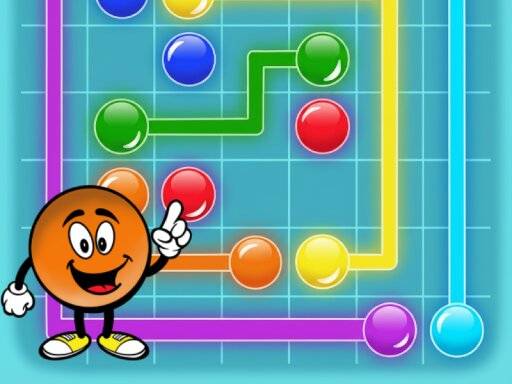
Relax, focus, and enjoy a calming puzzle experience in Connect the Dots — a relaxing single-player brain game designed to help you unwind while gently challenging your mind. Connect matching dots, create beautiful shapes, and complete colorful puzzles at your own pace. With simple controls, clean visuals, and stress-free gameplay, this game is perfect for players who enjoy relaxing puzzle games, brain teasers, and casual logic challenges. Play now and enjoy a peaceful puzzle journey!
How to play Connect the Dots - Color Lines
The complete publisher instructions for Connect the Dots - Color Lines are reproduced below. Missing details are not established by this listing; the text does not confirm every rule or feature.
Controls for Connect the Dots - Color Lines
The following input phrases appear in the publisher text for Connect the Dots - Color Lines. Refer to the full instructions for their context; this listing does not verify device compatibility or exclude other inputs.
- Mouse Publisher wording: "Click". Refer to the complete instructions for the action.
- Tap or touch Publisher wording: "Touch". Refer to the complete instructions for the action.
- Drag, swipe or slide Publisher wording: "drag". Refer to the complete instructions for the action.
Dimension-based screen fit
The following fit calculations use directory canvas dimensions, not a device compatibility test. Connect the Dots - Color Lines is authored 4:3 at 800 × 600, a near-square landscape board. A 16:9 desktop window gives it about 75% of the window width; a 19.5:9 phone held upright gives it about 35% of the screen height, a fit estimate only, not confirmation that the game works on a phone.
| Board size | 800 × 600 px |
|---|---|
| Aspect ratio | 4:3 |
| Orientation | Landscape |
| On a 19.5:9 phone | covers about 35% of the screen height |
| In a 16:9 window | covers about 75% of the window width |
| Canvas fit label | Landscape canvas below 1.6:1 |
| Primary input | Mouse |
| Technology | HTML5, runs in the browser with no install |
Where Connect the Dots - Color Lines sits in this library
Art style is not something a count can capture, but board size, input and tag overlap are. Here is where Connect the Dots - Color Lines lands among the 374 games in this library.
- Collection — Connect the Dots - Color Lines is one of 123 titles filed under Cute Picks, out of 374 games on the site.
- Board — 176 games here are authored at 800 × 600, 60 of them inside Cute Picks. The canvas is larger than 6% of the library.
- Input — 71 of the 123 Cute Picks titles lead with mouse, the same primary input as Connect the Dots - Color Lines.
- Orientation — 99 of the 123 titles in this collection are landscape like Connect the Dots - Color Lines.
- Tags — 5 descriptive tags, of which link and connection are carried by no other game here.
- Publisher text — 25 words of instructions and 75 words of description came with Connect the Dots - Color Lines; both are on this page unedited.
What the tags on Connect the Dots - Color Lines mean
These are directory labels attached to Connect the Dots - Color Lines, with library counts and links to other listings using the same labels. A label alone does not establish controls, timing, rules or tested gameplay.
- Color. 11 games here carry it, including Color Clash, FlowBall, Paint Pop 3D.
- Relaxing. 28 games here carry it, including Tiny Farm, Coloring: Mosaic by Symbols, Tap Out Puzzle.
- Thinking. 6 games here carry it, including Hook Pin Jam, Emergency Operator, Flight Sim Air Traffic control.
- Link. Connect the Dots - Color Lines is the only game in this library with the tag.
- Connection. Connect the Dots - Color Lines is the only game in this library with the tag.
How Connect the Dots - Color Lines compares to its closest neighbours
These listings are ranked by category and shared tags, not by playtested similarity. Compare their published dimensions and input phrases separately; matching metadata does not establish the same session or mechanics.
| Game | Collection | Shared tags | Board | Orientation | Input style |
|---|---|---|---|---|---|
| Connect the Dots - Color Lines (this page) | Cute Picks | — | 800 × 600 | Landscape | Mouse |
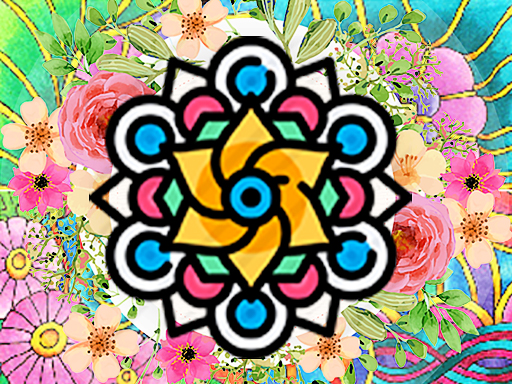 Love Colors | Cute Picks | color, relaxing, cute | 800 × 600 | Landscape | Mouse |
 Potion Sort | Cute Picks | color, relaxing, cute | 800 × 600 | Landscape | Tap or touch |
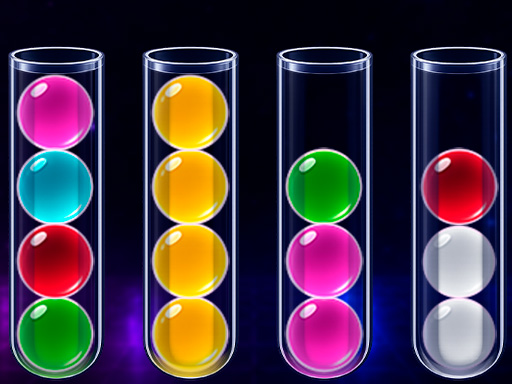 Ball Sort | Cute Picks | color, relaxing, cute | 800 × 600 | Landscape | Tap or touch |
 Coloring: Mosaic by Symbols | Cute Picks | relaxing, cute | 800 × 600 | Landscape | Mouse |
 Tap Out Puzzle | Cute Picks | relaxing, cute | 1334 × 750 | Landscape | Mouse |
 Kompot's Kitchen | Cute Picks | relaxing, cute | 800 × 600 | Landscape | Tap or touch |
- Love Colors — shares the color and relaxing tags with Connect the Dots - Color Lines, lists a 800 × 600 landscape canvas, and includes the publisher input phrase mouse.
- Potion Sort — shares the color and relaxing tags with Connect the Dots - Color Lines, lists a 800 × 600 landscape canvas, and includes the publisher input phrase tap or touch.
- Ball Sort — shares the color and relaxing tags with Connect the Dots - Color Lines, lists a 800 × 600 landscape canvas, and includes the publisher input phrase tap or touch.
Tag pages for Connect the Dots - Color Lines
Each tag below opens the filtered list of every game in this library that shares it.