
Play Jump to the Mountain for the Brainrots Online
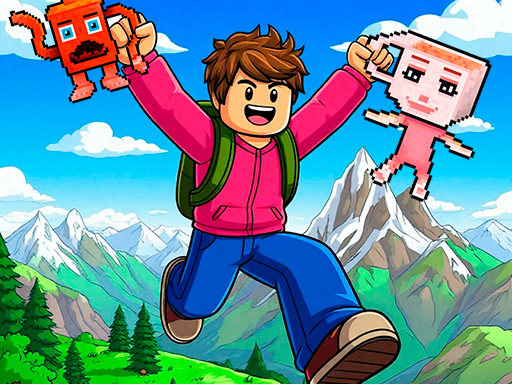
You'll play as Obby, a character located on a tall mountain. Various Brainrots will randomly appear on the mountain, guarded by enemies. Your task is to jump up the mountain and rescue the Brainrots. Collect the entire Brainrot collection without falling into enemy hands! Sell Brainrots to increase your jump height and reach the very top of the mountain. Rare Brainrot species live at the very top.
Controls for Jump to the Mountain for the Brainrots
The input pattern below is read from the publisher instructions for Jump to the Mountain for the Brainrots, so it reflects how the game actually plays rather than a generic template. Jump to the Mountain for the Brainrots sits in the cute picks group, which is why the primary input is spacebar.
- Spacebar The core action is bound to the space key, so one hand is enough.
- Mouse click / Tap Point and click on desktop, or tap the same spot on a touch screen.
- Arrow keys / WASD Movement runs through the keyboard, so a physical keyboard helps.
- Drag / Swipe / Hold Press and move instead of tapping once, which works on both mouse and touch.
Publisher instructions
Device compatibility
Jump to the Mountain for the Brainrots renders in a 1920 × 1080 frame. That is a 16:9 aspect ratio in landscape orientation, so the practical recommendation is: best on desktop. A landscape frame fills a laptop or desktop window cleanly, and on a phone it is easiest to play with the screen rotated sideways.
| Resolution | 1920 × 1080 |
|---|---|
| Aspect ratio | 16:9 |
| Orientation | Landscape |
| Recommended device | Best on desktop |
| Primary input | Spacebar |
| Technology | HTML5, runs in the browser with no install |
How Jump to the Mountain for the Brainrots compares to similar games
These titles were matched on category and on shared tags rather than on popularity alone, so the table below is a genuine side-by-side of the closest games in the library to Jump to the Mountain for the Brainrots.
| Game | Category | Shared tags | Orientation | Input style |
|---|---|---|---|---|
 Crunch Lock Jam Crunch Lock Jam | Cute Picks | 1player, 3d, cute | Landscape | Mouse click or tap |
 Slinky Color Sort Slinky Color Sort | Cute Picks | 1player, 3d, cute | Landscape | Mouse click / Tap |
 Pesky Moles Pesky Moles | Cute Picks | 1player, 3d, cute | Landscape | Mouse click / Tap |
 Merge cubes 2048 3D Merge cubes 2048 3D | Cute Picks | 1player, 3d, cute | Landscape | Mouse click / Tap |
 Capybara Jump Capybara Jump | Cute Picks | 1player, cute | Landscape | Mouse click / Tap |
 My Happy farm My Happy farm | Cute Picks | 1player, cute | Landscape | Mouse click / Tap |
Why it fits the Spacebar cluster
- Fast browser start with no installation.
- Short, repeatable sessions with instant feedback.
- Strong overlap with clicker, tap, or reflex search intent.
- Works well as a next click from the core Spacebar topic.
Tags for Jump to the Mountain for the Brainrots
Each tag below opens a filtered list of every game in the library that shares it.