CPS — clicks per second — is the headline stat of the clicker genre, and it is also the most misunderstood one. Chasing a higher CPS is worth doing in some games and completely wasted in others. The difference comes down to how the game converts a click into progress.
The realistic numbers
The common benchmark is a 10-second click test, which is long enough to smooth out a lucky burst but short enough that fatigue does not dominate. Typical results:
| Technique | Typical range | What it is |
|---|---|---|
| Normal clicking | 5–8 CPS | One finger, full press per click |
| Jitter clicking | 10–14 CPS | Tensing the forearm to vibrate the finger |
| Butterfly clicking | 15–25 CPS | Alternating two fingers on one button |
| Drag clicking | Bursts only | Dragging a finger across the button surface |
Those are reported ranges, not guarantees — technique, mouse switch, and grip all move them. The honest takeaway is that the gap between a casual player and a practised one is roughly 2x, not 10x. Which matters, because idle game multipliers routinely reach 100x. A 2x input advantage stops being the deciding factor very quickly.
Where your clicks actually go
Hardware quietly caps you before your hand does:
- Switch debounce. Mouse firmware ignores contact bounce for a short window after a press, commonly in the 4–15 ms range depending on the mouse and its settings. At 15 ms of debounce, the theoretical ceiling is about 66 CPS — irrelevant for a human, but relevant for drag clicking, where the debounce window is exactly what swallows the extra inputs.
- Switch lifespan. Mouse switches are rated in tens of millions of clicks. A 10 CPS session for ten minutes is 6,000 clicks. An hour a day at that rate is roughly 2 million clicks a year, which is well inside spec but not nothing.
- Polling rate. A mouse at the 125 Hz default reports every 8 ms; at 1000 Hz, every 1 ms. Polling affects when the browser hears about your click, not how many it counts, so it matters for timing games and barely at all for raw CPS.
The question that decides whether CPS matters
Ask this about any clicker: does a click add a flat amount, or does it add a percentage?
If clicks add a flat amount, your click income stays constant while your passive income compounds. Within an hour, clicking is a rounding error. If clicks scale with your multipliers — click damage as a percentage of DPS, or a click that triggers a timed bonus — clicking stays relevant the whole run.
Popcat Clicker is the pure form of the first case: you tap a cat to earn coins, spend coins on upgrades and boosters, and progress through levels. Early on, your hand is the economy. The moment income upgrades start stacking, your job shifts from clicking faster to choosing the right upgrade, and CPS practice stops paying.
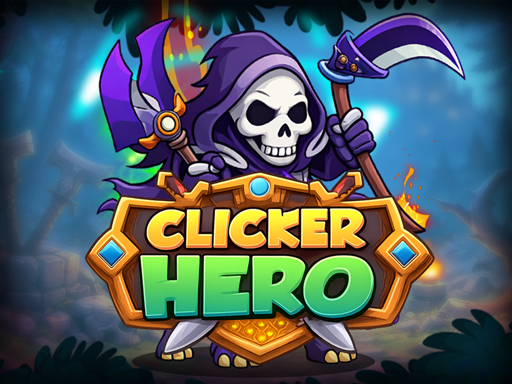
Clicker Hero sits on the other side: clicking damages monsters directly while purchased heroes deal damage automatically. Because gold gates hero upgrades and monsters gate gold, an active click burst at a boss can be the thing that unblocks the next tier — even if clicking contributes almost nothing to your total damage over a full session.
Reaction-gated games are not CPS games
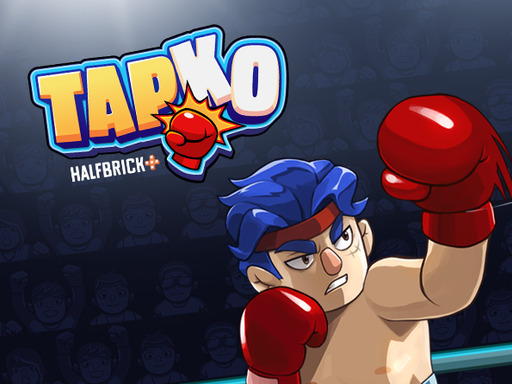
Some games that look like clickers are actually timing games wearing a clicker costume. TapKO asks you to tap when a prompt appears to attack or counter, and to tap-and-hold to block. Spamming taps there does not just fail to help, it actively loses rounds, because the game is reading when you tapped relative to the enemy’s cue. The optimal CPS in a game like that is whatever number lets you land one clean input per prompt — often under 2.
Before grinding CPS, work out which game you are in. Spam the input for ten seconds and watch the counter. If output tracks your click count, CPS matters. If output tracks your accuracy, it does not.
What to do instead of chasing CPS
Three things reliably beat a higher click rate in most clicker games:
- Buy multipliers over flat adds. A multiplier applies to your whole economy including your clicks.
- Keep the tab visible if the game ticks per frame. A throttled background tab costs far more income than a slow hand.
- Bind to a key if the game allows it. Alternating two fingers on a keyboard is easier to sustain than any mouse technique, and the spacebar is the largest, most forgiving target on the board.
That last one is why so much of this library sits under the tap category alongside the clickers — the input method is interchangeable more often than people expect.
A note on autoclickers
Many clickers detect implausible input patterns — perfectly uniform intervals, or rates no hand produces — and either cap the contribution or ignore it. Beyond the fairness question, an autoclicker also removes the only part of the genre that rewards you for showing up. Pick a game whose multipliers do the work, and let your hand do the small part.