Peak CPS is a party trick. What decides how a clicker session actually goes is sustained CPS — the rate you can hold for ten or twenty minutes without your rate collapsing or your hand complaining. That number is mostly determined by mechanics you can change: how much force each press takes, which muscles produce it, and whether you are using a mouse at all.
The arithmetic of a session
Work out the press count before assuming a session is short:
| Rate | 1 minute | 10 minutes | 30 minutes |
|---|---|---|---|
| 5 CPS | 300 | 3,000 | 9,000 |
| 8 CPS | 480 | 4,800 | 14,400 |
| 12 CPS | 720 | 7,200 | 21,600 |
Now attach force. A typical mouse switch needs somewhere in the region of 50–80 gf to actuate. At 8 CPS for ten minutes with a 60 gf switch, one finger has moved roughly 4,800 × 60 g of force — around 288 kg of cumulative load through a single digit. The number is not medically meaningful on its own, but it explains why the same session feels completely different on a light switch versus a heavy one.
Mechanical keyboard switches are generally lighter: common linears sit around 45 gf, tactiles and clickies around 50–60 gf with a bump to push through. That is one concrete reason a keyboard-bound clicker is easier to sustain than a mouse-bound one.
Peak rate is a burst muscle, sustained rate is a different one
Jitter clicking works by tensing the forearm so the whole arm vibrates and the finger rides the vibration. It produces a high number on a ten-second test and it is the fastest route to a tired forearm, because it holds a muscle under continuous tension rather than cycling it.
Butterfly clicking alternates two fingers on one button, which distributes the work and is much more sustainable — but it depends on the mouse’s debounce window being short enough to register both fingers. On a mouse with a long debounce, alternating fingers produces swallowed inputs and your effective rate drops below plain clicking.
For sessions measured in minutes rather than seconds, the honest answer is usually normal clicking with a relaxed grip at 6–8 CPS, alternating between two input methods, rather than any single technique held to failure.
Grip changes what gets tired
Three grips, three failure modes:
- Palm grip — whole hand on the mouse, clicking with the finger’s base joint. Most stable for aiming, slowest to cycle, and puts load on the wrist because the wrist stays planted.
- Claw grip — arched fingers, clicking with the tip. Faster cycling, more tension in the finger tendons.
- Fingertip grip — minimal contact, fastest cycling, least stable, and the most forearm involvement.
For a clicker game there is no aiming requirement at all, which frees you to use whichever grip is most comfortable rather than whichever is most accurate. That is a genuine advantage of the genre and most players never take it — they keep the grip they use for everything else.
The most useful adjustment for a long session is the simplest: support your forearm on the desk rather than floating it, and keep the wrist off any hard edge. A floating forearm turns every click into a whole-arm stabilisation task.
Bind it to a key when you can
Where a game accepts keyboard input, moving the clicking to a key is the single biggest sustainability upgrade available:
- Keyboard switches are usually lighter than mouse switches.
- You can alternate two fingers on two different keys, which halves the per-finger rate at the same total CPS.
- The spacebar is a large target that needs no aim, so accuracy costs nothing.
- You can swap hands mid-session, which is essentially impossible on a mouse.
TapKO is a useful counterexample to keep in mind while doing this. It is built around tapping when a prompt appears to attack or counter, and tap-and-hold to block while reading the enemy’s cues. A game graded on when you tapped gains nothing from a faster input method — sustainability there means staying accurate late in a fight, which is an attention problem rather than a hand problem.
Choose games whose maths does the work
The most effective ergonomic decision is upstream of any hardware: play clickers where multipliers carry the run instead of your hand.
Popcat Clicker starts hand-driven — tap the cat, earn coins — but the coins buy upgrades and boosters that raise income independently of your rate. The correct arc is a short burst of active clicking to seed the economy, then a shift to purchase decisions.
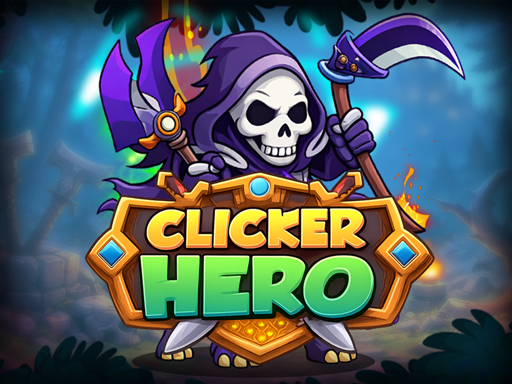
Clicker Hero goes further: heroes deal damage automatically once bought, and the game keeps running while you are offline. That structure means the optimal play pattern is short active windows at zone walls and long stretches of not touching the mouse at all. A player who understands the economy clicks far less than one who does not, and progresses faster.
Session habits worth keeping
- Set a stop, not a goal. “Twenty minutes” ends cleanly; “until the next upgrade” does not, and the next upgrade always costs 15% more than the last.
- Alternate input methods — mouse for a while, key for a while — rather than pushing one to failure.
- Stop at the first sign of tingling or numbness in the fingers. That is a nerve signal, not a fatigue signal, and it does not improve by continuing.
- Re-check your crossover point. Once passive income dwarfs click income, clicking has become a habit rather than a strategy, and the best ergonomic fix is simply to stop.
Browse the clicker category for games where the economy carries the load.